My own product

LiveEdit AI Agent

Ask in plain words. The agent does the work.

Most AI plugins write text into a box and leave the rest to you. This one works on the site. You say what you need, and the agent goes and looks: it reads the theme's templates, its spacing and colour tokens, the posts you already have — and only then does the work, so a new section comes out looking like it belonged there all along.

It writes articles and fills the catalogue, builds sections in the theme's own style, edits template files, creates fields in wp-admin. Before every file write it checks the syntax and boots the site in a separate process; if the page stops answering, the previous file comes back on its own. Everything else is undone with one click on the History screen.

It also says what it did not do. No “done!” when nothing was saved.
How it compares with paying a developer by the hour →

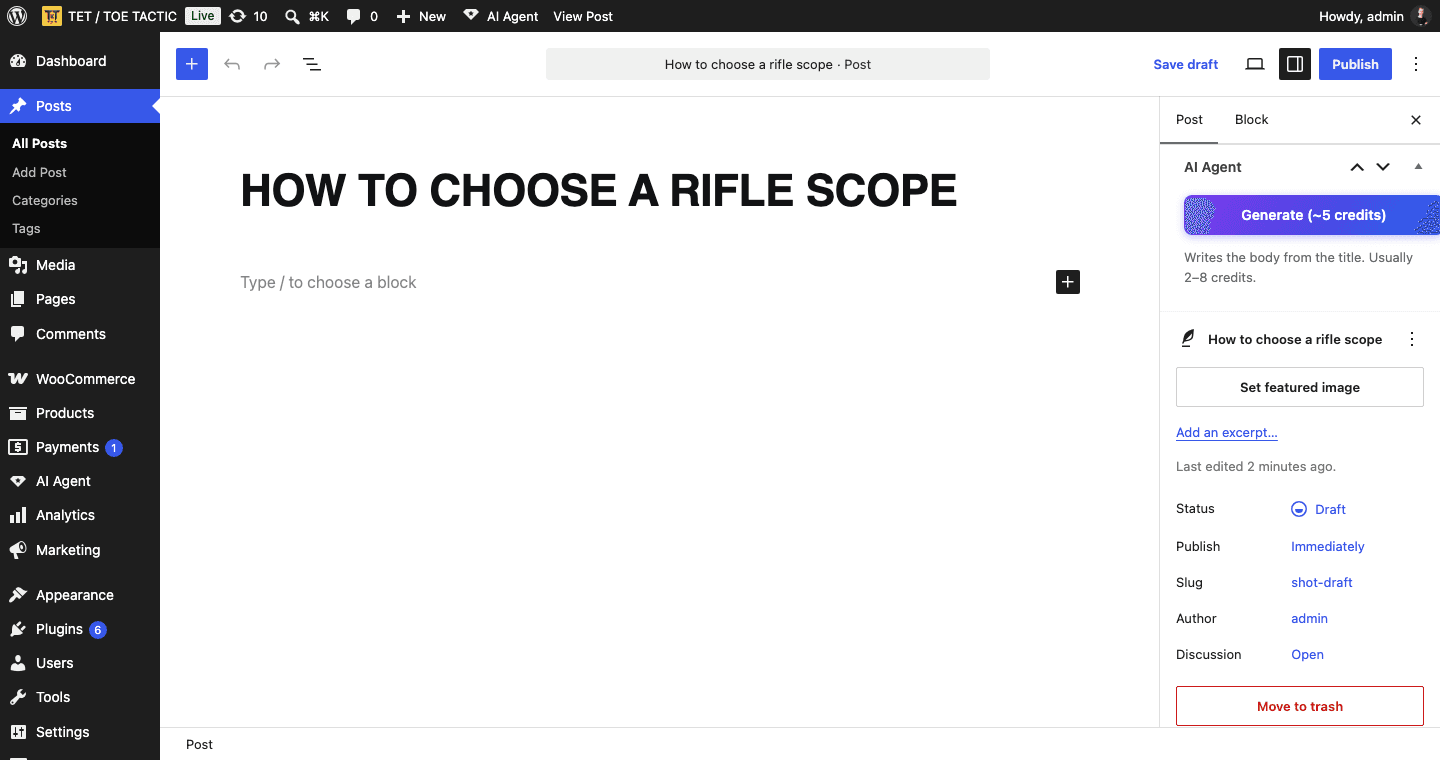
LiveEdit AI Agent — screen 1
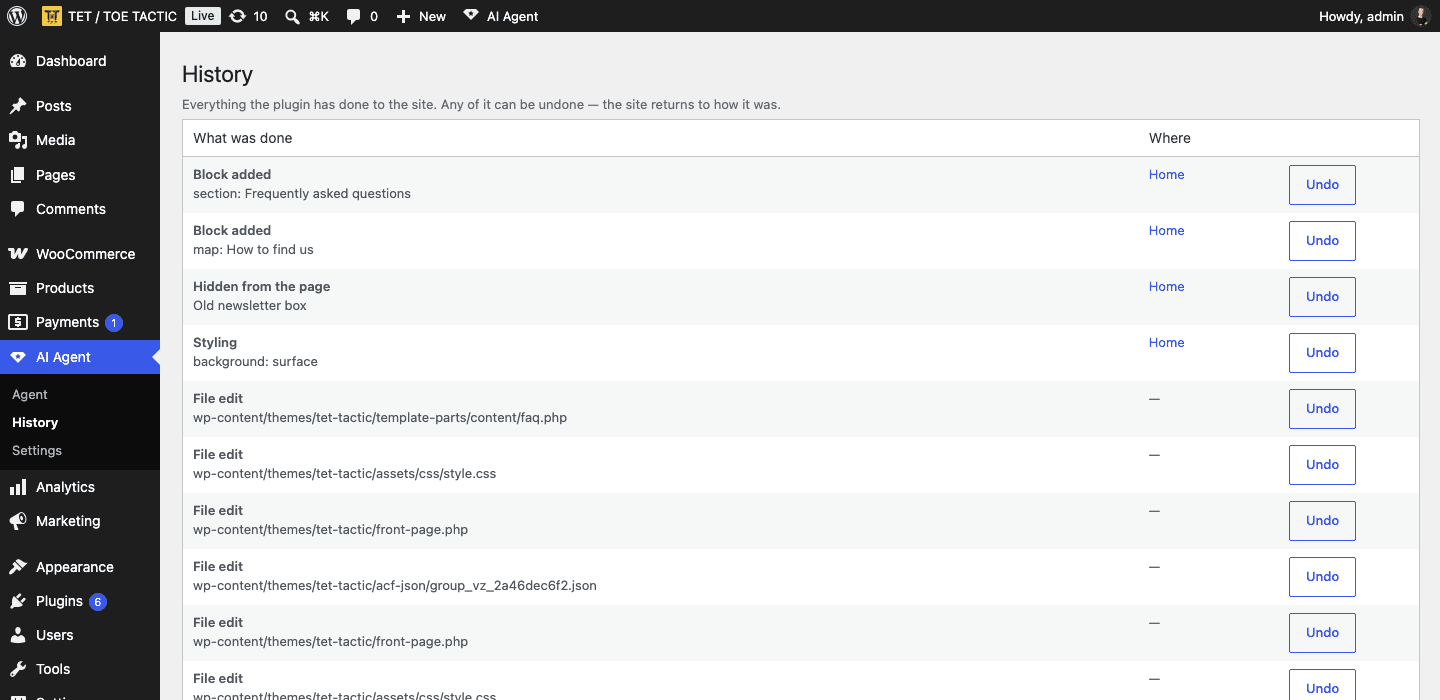
LiveEdit AI Agent — screen 2
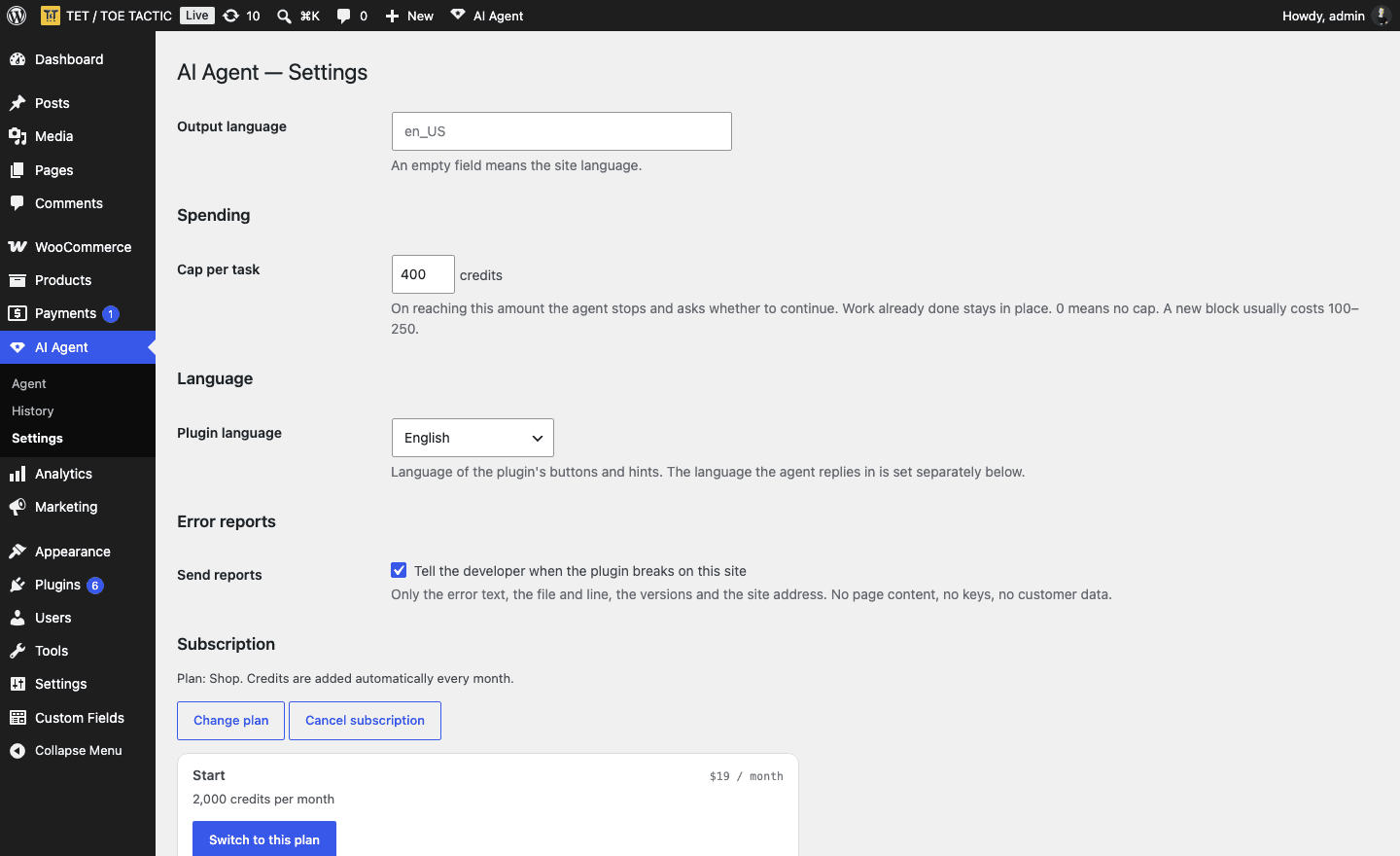
LiveEdit AI Agent — screen 3
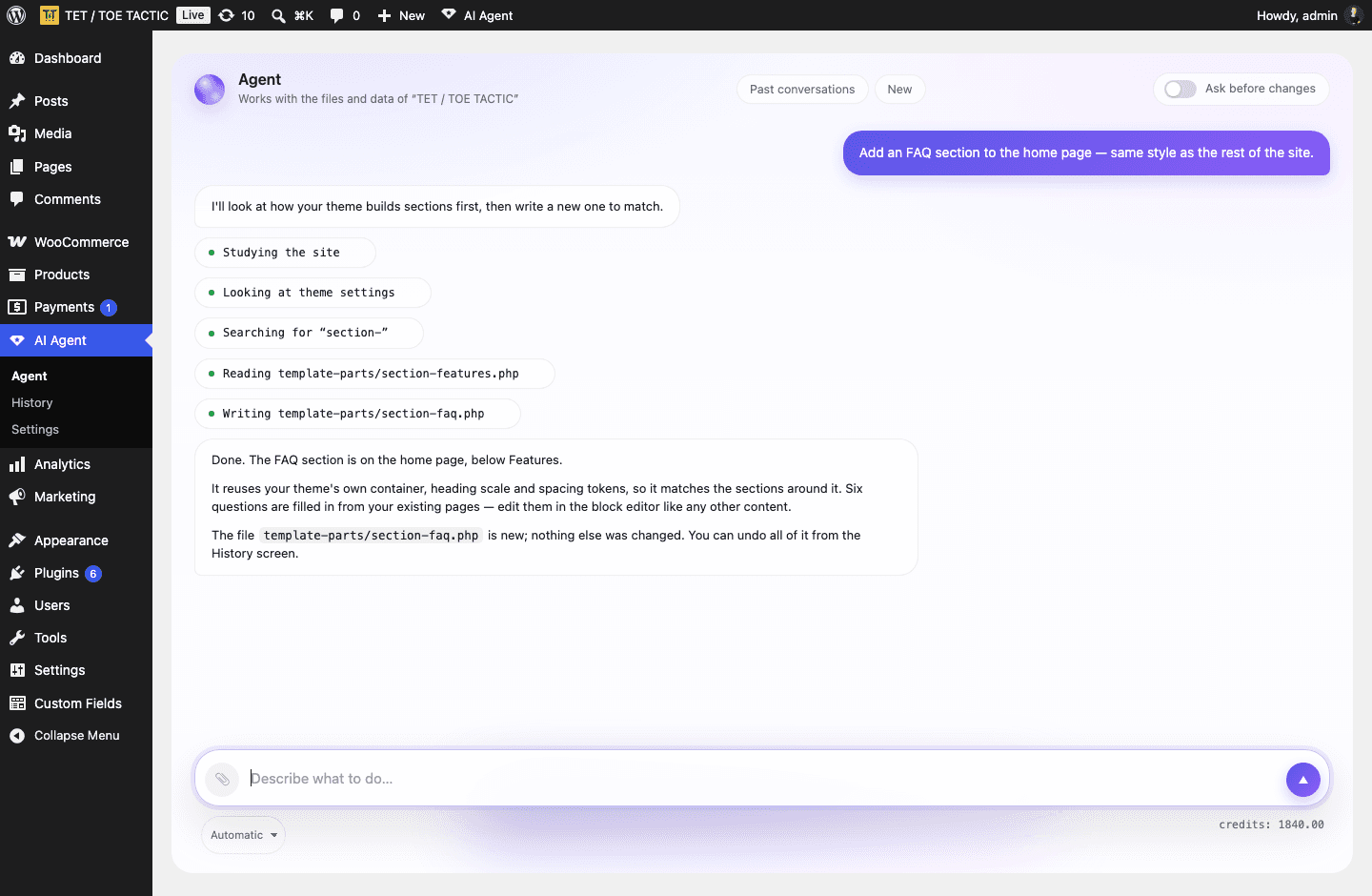
LiveEdit AI Agent — screen 4

What it does

It reads your theme first

Before writing a line it looks at your templates, spacing scale, colour tokens and class names. A new block comes out matching the site, not a generic card from a library.

Articles and product listings

Write an article from a title, or hand it a list and let it create products with categories, brands, attributes and images from the media library.

New sections on a page

Ask for an FAQ, a map, a slider or a testimonials block and it builds it in the theme's own style — then you edit it like any other content.

Theme files, carefully

It edits template files only when you switch that on. Syntax check, backup, and a boot test in a separate process run before every save; a broken file is restored automatically.

Everything is reversible

The History screen lists every change the plugin made to the site. One click and the site is exactly as it was.

You see what it costs

Work is paid in credits, and the balance and the cost of each step are visible in the chat. A cap per task stops the agent and asks before it spends more.

Pricing

Start

$19per month
  • ·2,000 credits a month
  • ·Articles, products, categories
  • ·New sections in your theme's style
  • ·Theme file editing
  • ·History with one-click undo

Shop

$49per month
  • ·5,000 credits a month
  • ·Everything in Start
  • ·Enough for a catalogue and regular articles
  • ·Change plan at any time

Agency

$149per month
  • ·15,000 credits a month
  • ·Everything in Shop
  • ·For several client sites
  • ·Cancel from the plugin in one click

Technical details

RequirementsWordPress 6.5 or higher, PHP 8.1 or higher
Tested up toWordPress 7.1
WooCommerceOptional — product tools appear when it is active
Size~288 KB
Interface languagesEnglish, Ukrainian, Russian, Spanish
Answer languageAny — set separately from the interface
LicenceGPLv2 or later
Where the work happensOn our server, which calls Anthropic's Claude models
Never readablewp-config.php, .htaccess and .env are blocked at the code level

Frequently asked questions

Download the archive, install it in WordPress the usual way, open AI Agent and press “Try free”. A new domain gets 20 credits without a card — enough to see it write an article and a couple of products. The subscription is taken from inside the plugin, so the payment attaches to your site automatically.

A credit is the cost of the work on our side. A text edit is about 5–15 credits, an article 2–8, filling products from a list 60–100, a whole new section with markup 100–250. So 2,000 credits is roughly a month of steady work on one site.

A theme file is written only after a syntax check and a boot test in a separate process, with a backup taken first — if the site stops answering, the previous file is restored automatically. Everything else is undone from the History screen. Theme file editing is off until you switch it on, and it is refused outright if DISALLOW_FILE_EDIT is set in wp-config.php. Keep your own backups anyway.

To our server and from there to Anthropic, to produce the answer. Nothing leaves your site until you press a button. wp-config.php, .htaccess and .env cannot be read by the agent at all. The details are in the privacy policy.

A free version without theme file editing has been submitted to the WordPress plugin directory and is waiting in the review queue. It will do articles, products, categories and sections; editing theme files stays in this one.

In one click from the plugin's settings, or from the Lemon Squeezy customer portal. Cancelling stops the next payment; the month you paid for keeps working to its end.

No. Product tools appear when WooCommerce is active; everything else works on any WordPress site.

Need something similar?

I do not only build products for myself. If you have an idea for a tool or a service, tell me about it and I will say what it means for timeline and budget.